EDHStat Update: Better UI and New Actions
Written by, Funnan on April 9, 2026
EDHStat has been moving fast. This update brings several improvements across the session flow and the action overlay, with a focus on making the app easier to use with one hand and less cluttered when you’re mid-game.
Here’s what changed.
Session Controls Are Now a Drawer
The session sheet previously lived at the bottom of the screen. That placement made sense as a starting point, but moving your thumb from the top of the display all the way to a bottom sheet mid-game is friction that adds up over a long Commander session.
The session options are now accessible through a drawer triggered from the top left corner. The controls are closer to where your thumb rests naturally, especially when you’re holding a phone with one hand at a table.
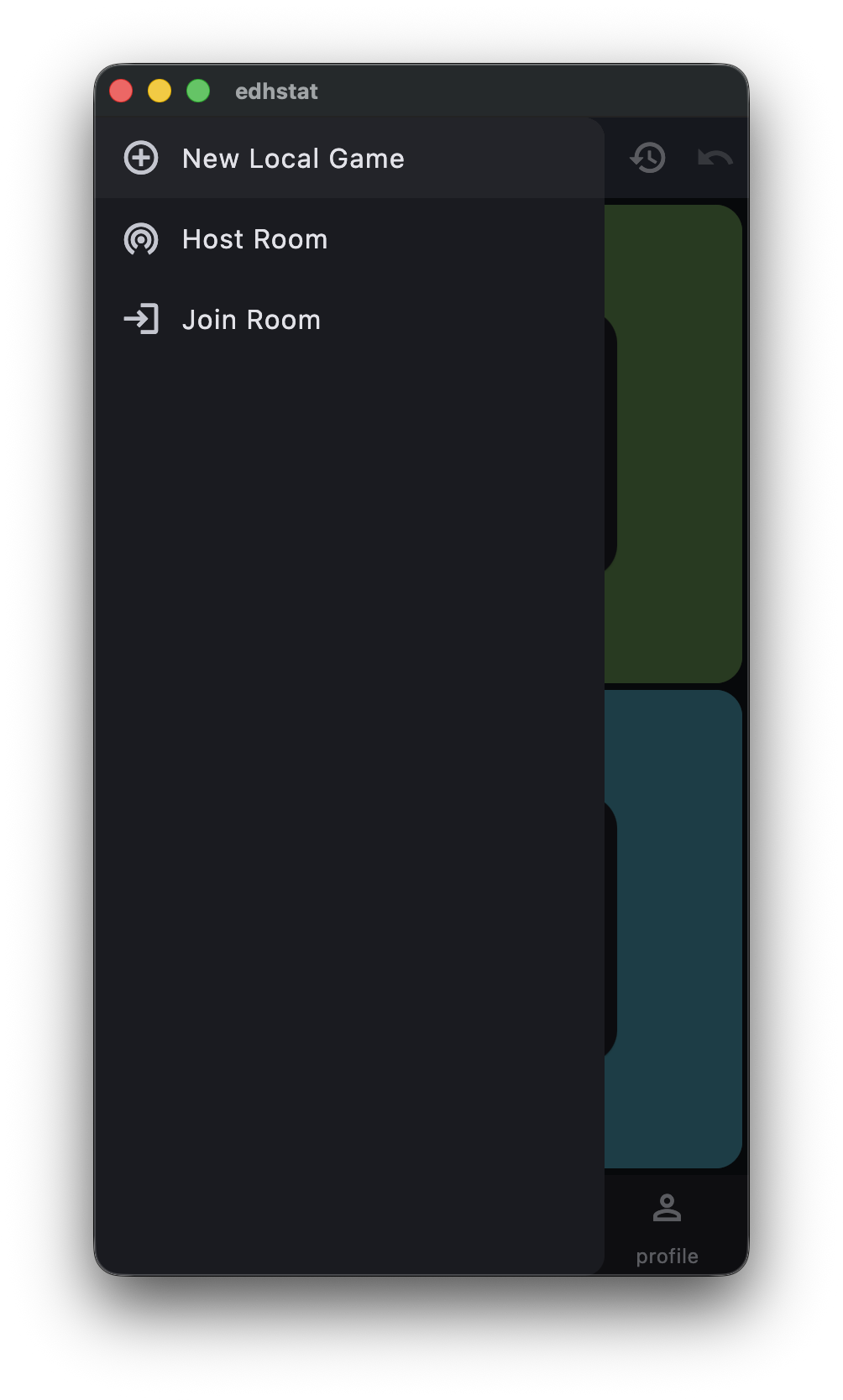
This is one of those changes that’s small on paper but noticeably better in practice.
Drain Life Action (DRN) and Cleaner Them Targeting
A new action type has been added: Drain Life.
Drain Life covers situations where one player gains life at the expense of another — a common enough effect in Commander that it deserved its own tracked action. When you log a Drain Life action, EDHStat records both the life lost by the target and the life gained by you in the same entry.
To make Drain Life work well, the THEM targeting view was also improved. The action overlay previously showed counter values for all players regardless of who was a valid target, which created noise when you were trying to target others. Now when targeting others, only the three opponent panels show values — the initiating player’s panel steps back so it’s immediately clear who you’re affecting.
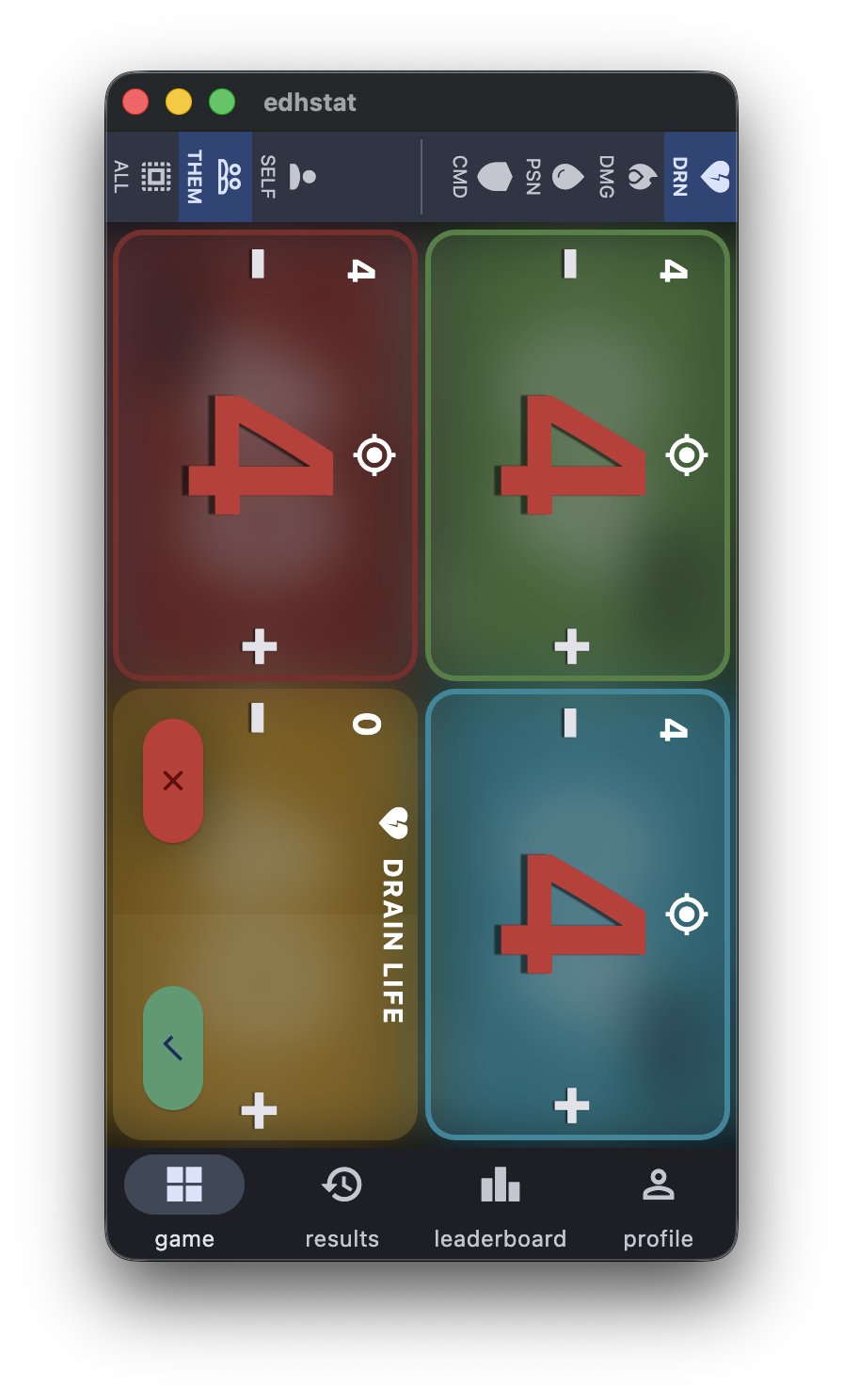
You’ll find DRN at the end of the action strip alongside LFE, CMD, PSN, and DMG. Select it, pick your targets, and the log captures both sides of the transaction automatically.
Cleaner Self Targeting
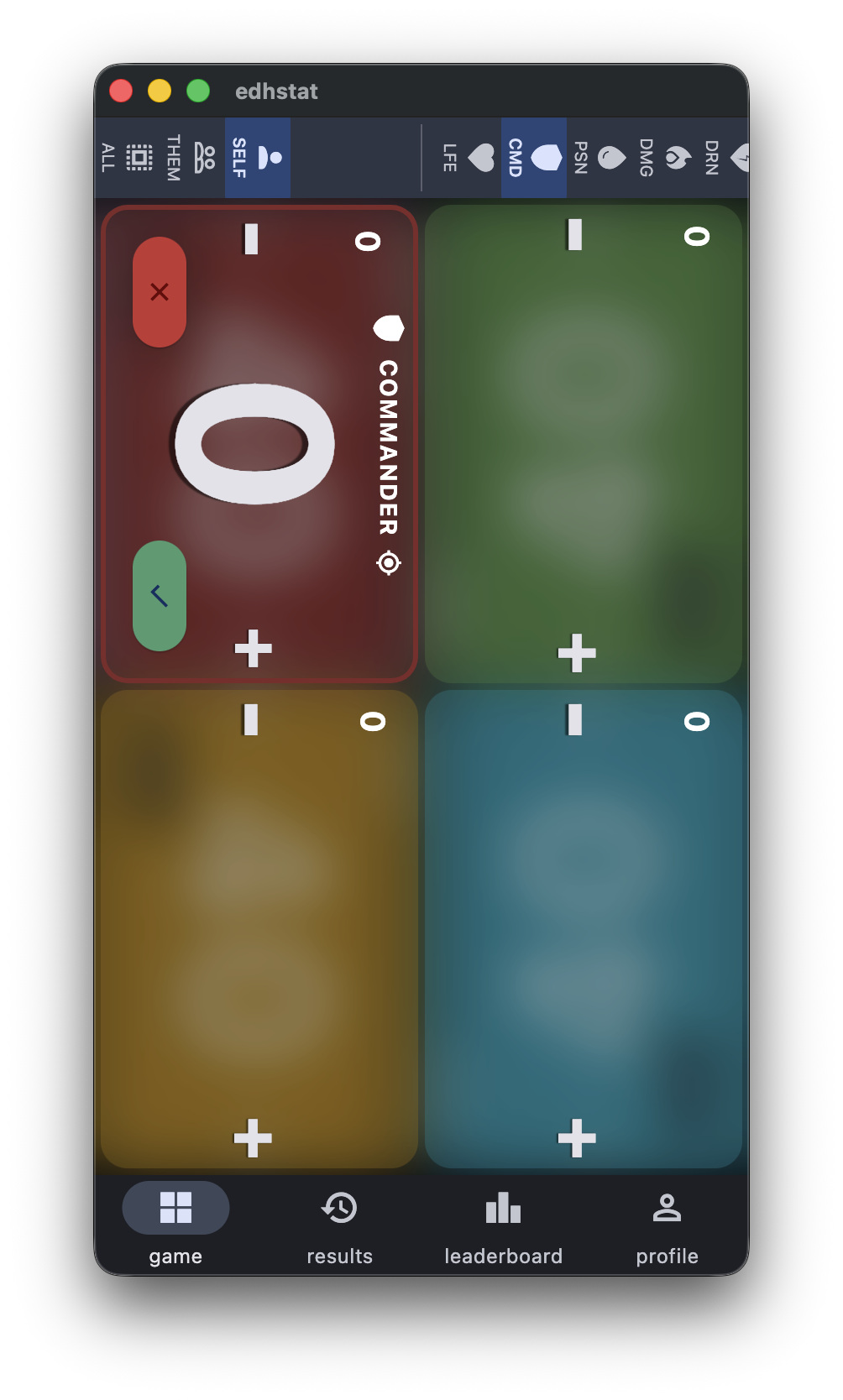
The same targeting clarity applies in the other direction. When logging an action that only affects yourself, only your panel shows a value. The other three players step back visually, so there’s no ambiguity about what you’re modifying.
Increment All When Targeting Others
When a player chooses a THEM action that affects multiple opponents at once — a board wipe, an edict, a damage-all effect — adjusting each panel individually is tedious.
The action overlay now includes increment controls on the active player’s panel when in THEM mode. Tapping those increments the staged value across all targeted players simultaneously. Individual panels can still be adjusted separately if the effect wasn’t uniform, but the common case of hitting everyone equally now takes one tap instead of four.
Five-Player Layout Options
EDHStat now supports a layout choice when starting a five-player game. You can pick between two arrangements: one player alone on one end with two across from them on each side, or everyone split evenly across from each other. The option appears in the new game setup screen when you select five players.
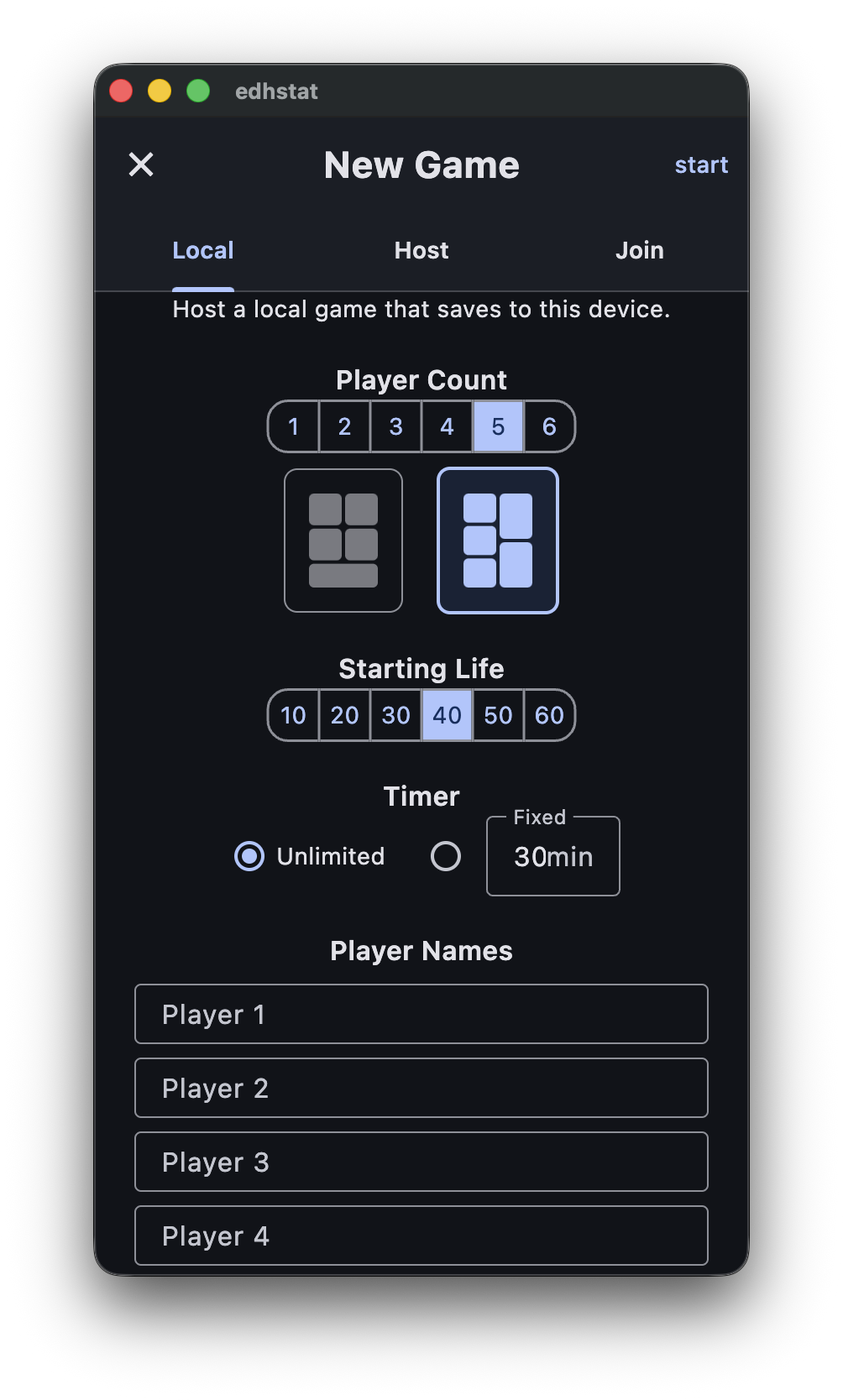
It’s a small thing, but the right layout choice makes the board easier to read at a glance during a game.
These changes are live now at edhstat.com. More updates coming as development continues — you can follow along on the EDHStat product page or check back here.